UNLOCK THE 1950 US CENSUS
Ready to join the cause?

It is as easy as 1, 2, 3 . . .
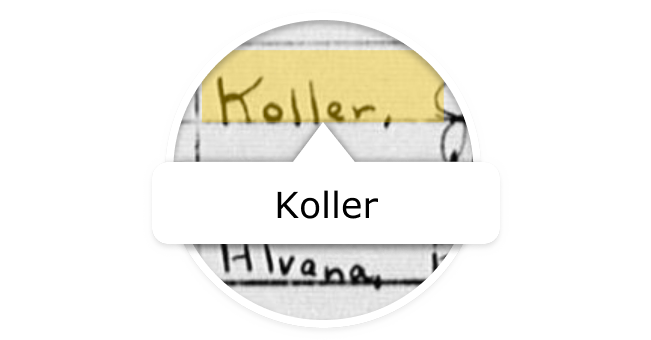
1. Review Names
Reviewing names is a good place to start. Simply compare the handwritten name with the indexed name to see if it matches or needs to be edited. If you are unsure, you can skip the name to have another volunteer check it.

2. Level up by reviewing families
After getting comfortable with reviewing names, try reviewing families. You’ll group names into households, match the street address to the family, and review other important fields to help make sure these families can be found.

3. Use the Get Involved mobile app
Reviewing names is available in the new Get Involved mobile app as well as in the Get Involved section on FamilySearch.org.


What are the top priorities?
Every name reviewed makes a difference. But, if you are wondering where the project could use some extra attention, here is a list of current priorities.
Top State
The state that is the highest priority for completion now appears near the top of the 1950 US Census project page in a blue banner.
Reviewing Families
The task of reviewing families takes more time and attention than reviewing names. But, a state can’t be completed until all the families have been reviewed. We need more people to jump in on the family review to ensure that all the states get completed.


I'm stuck. What do I do?
View a Detailed Overview of Family Review
The following instructions cover the most common issues people may encounter as they review names and families.
In Name Review:
- In the bottom right corner of the screen, click Not a person.
Before proceeding, identify first how many lines on the form contain the note "Vacant" or "No one home."
If it is just a line or two unrelated to the household you are reviewing, just make sure the lines are unchecked. You can then continue reviewing.
If the entire household is listed as "Vacant" or "No one home," here's what to do:
- At the bottom of the page, click Skip Household.
- Select the option for The entire household is vacant.
- Click Submit.
- The head
- The spouse (husband/wife)
- Unmarried sons and daughters
- Married sons and daughters and their families
- Other relatives
- Other persons, such as lodgers, roomers, maids, or hired hands and their relatives who live in the household.
Household members may have different surnames or be from different families.
Incorrectly assigning the head’s surname to everyone in the household is one of the computer’s most common errors and should be corrected wherever you find it.


Start Reviewing the 1950 US Census
It is easy to get started with reviewing the census. All you need is a FamilySearch account and a computer, tablet, or smartphone.

1950 US Census Sharable Image
Download this sharable image by clicking on the image or by using the HTML code below.
HTML code to copy/paste: <a href="https://www.familysearch.org/GetInvolved/1950"><img src="https://familysearch.brightspotcdn.com/b9/3d/91a6db094c4db9ec9de4cbdc73ce/shareable-image-1200x630.png"></a>
Invite Family and Friends
Invite your family and friends to review the census with you. You can focus on the shared surnames or places that mean the most to you.
Share on social media with this sharable image.


